When you're eagerly playing that newly acquired game on your PS5, have you ever seen a blue screen pop up with a message like this?
"Temperature alert: Your PS5 is too hot. Turn off your PS5, and wait until the temperature goes down."
That's right! This means your PlayStation®5 console is overheating. It's worth noting that if your console is frequently exposed to high temperatures, it won't just affect your gaming experience—it could even cause permanent hardware damage over time. Therefore, besides immediately following the instructions to turn off the console and let it cool down, we should take preventive measures in our daily use to avoid overheating in the first place.
Why Does the PS5 Overheat?
So, why does the console overheat? Aside from external factors like poor ventilation, internal dust buildup, and high room temperatures, the extreme performance demands of modern AAA game titles are a key factor.
To deliver stunning graphics and seamless load times, the console runs continuously under high loads, generating a massive amount of heat. This is exactly why the
official website explicitly recommends that when players upgrade their SSDs, they must choose a product with a built-in cooling mechanism, in addition to meeting the required read speeds.
When your PS5 starts to overheat, you might first notice unusual noise from the fan struggling to run smoothly, followed by in-game stuttering, system crashes, and ultimately, the temperature warning message mentioned earlier.
3 Practical Tips to Prevent Your PS5 from Overheating
To ensure you can smoothly and safely immerse yourself in your gaming worlds, here are three maintenance and upgrade recommendations that can significantly reduce the risk of your PS5 overheating:
1. Choose an SSD with a High-Efficiency Heatsink
When the console continuously reads large, high-end game files, the high-speed data transfer of the SSD itself generates tremendous heat, making it a core component affecting the overall temperature of the console. Utilizing highly conductive heatsink materials (such as aluminum or graphene) can rapidly dissipate heat from the SSD core. This helps lower the temperature during high-load states, maintaining top-tier read/write performance and stability. For hardcore gamers who dive into long gaming sessions the moment they boot up, this is a crucial point that cannot be ignored.
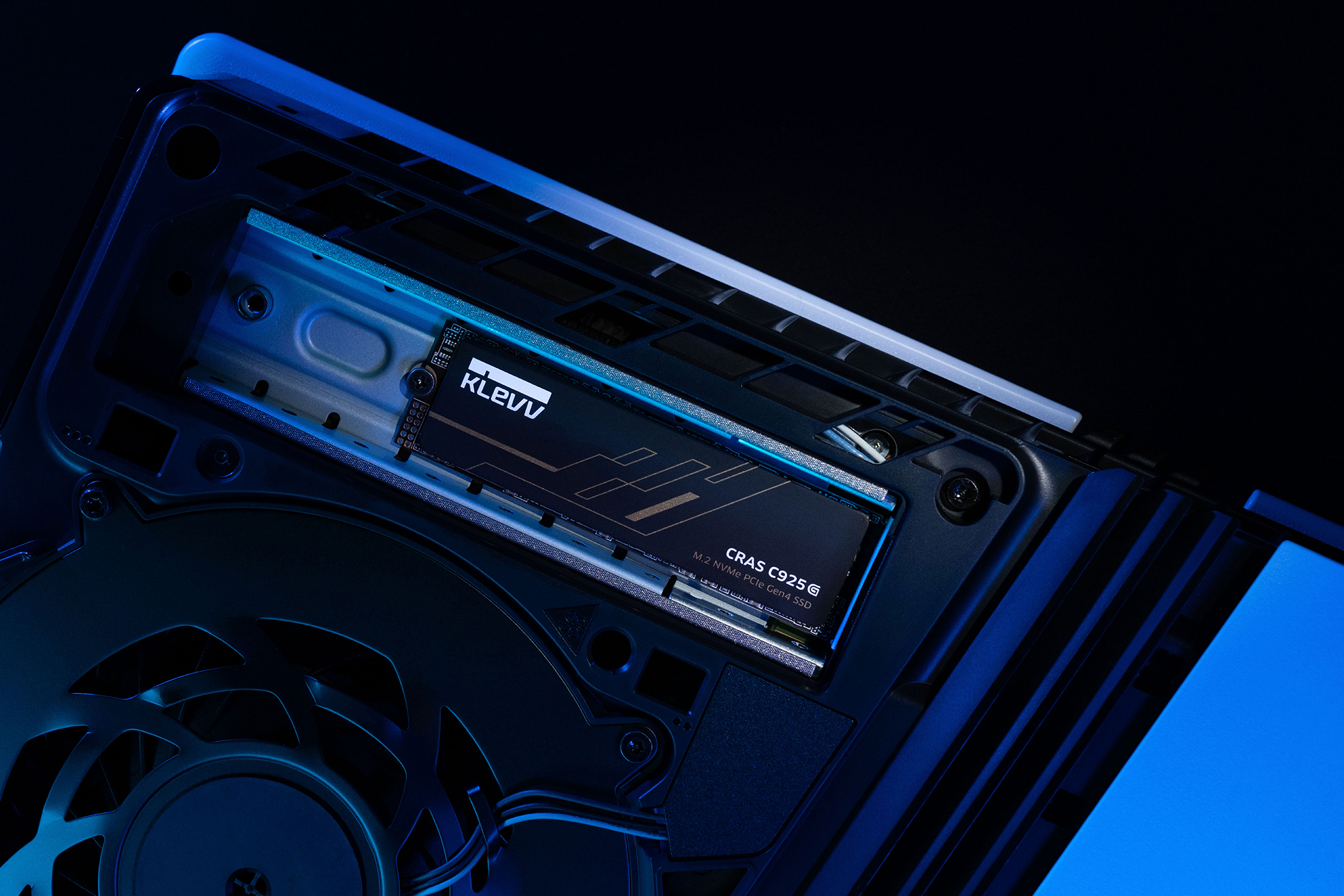
2. Maintain a Well-Ventilated Environment and Suitable Room Temperature
Stuffy, poorly ventilated, and overly hot environments are all external factors hostile to the operation of your PS5, making it vital to eliminate these conditions. Placing the console in an open space with good airflow rather than cramming it into a closed TV cabinet; using a console stand to ensure adequate cooling space between the device and the surface; and making sure the ventilation holes aren't blocked or covered (yes, just like how a refrigerator needs to be kept at a certain distance from the wall)—these are all effective ways to help the console regulate its temperature.
3. Regularly Clean Out Dust Buildup
Just like a room needs cleaning, a PS5 will accumulate dust around its side and rear ventilation ports, as well as the internal fan, after prolonged use. Excessive dust obstructs airflow and severely impacts cooling efficiency. Officially, it is also advised to avoid placing the console on long-fiber carpets or rugs to prevent lint from being sucked in and affecting operation, and to routinely clean the vents.
Choose the Right Gear for Effortless Gaming!
In conclusion, providing your PS5 with a good cooling environment and the right gear is a MUST for every player wanting to maintain the ultimate gaming experience. If you're planning to expand your console's storage capacity but don't know where to start, KLEVV
offers a variety of high-performance SSDs that perfectly meet the official PS5 specifications.
They not only deliver ultra-smooth read/write speeds but also feature exclusive heatsinks designed specifically for high-load operations, effectively ensuring long-term stable performance. This allows you to completely bid farewell to the frustrations of overheating and thermal throttling, immersing yourself carefree in every thrilling gaming moment!


 Share
Share